
The Windows auto clicker that reacts to color and image detection.
The same app, redesigned. Auto clicker, macro recorder and screen triggers in one window.
7 days free · Signed Microsoft Store build · No account needed
Watch the trailer
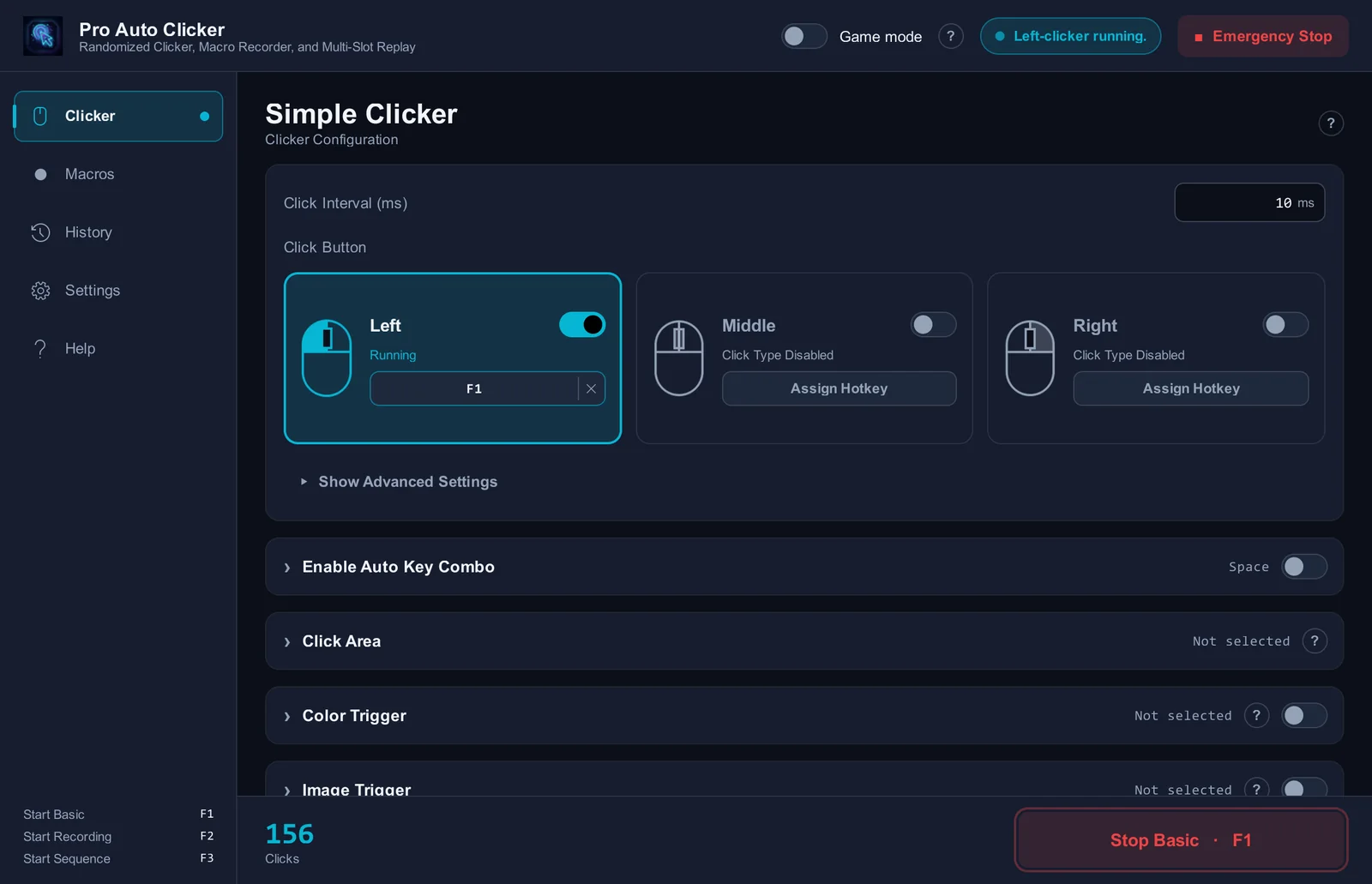
Click at the speed you set.
Type an interval, press your hotkey, and it keeps clicking until you press it again.
- 1 ms
- Shortest interval
- 3
- Buttons, a hotkey each
It clicks when the screen says so.
Point it at a color, an image or a word. It clicks only while that is on screen and waits when it is gone.
Record once. Replay forever.
Mouse and keyboard land on one timeline. Give each macro its own hotkey, or play them all in sequence.
- F2
- Starts recording
- F3
- Plays the sequence
Build a macro by pointing.
Click the spots in order. Each one gets a number, and the macro clicks them in turn. No recording needed.
- Enter
- Finishes the macro
Your game keeps the focus.
The window steps aside and stays there. The run follows your game and pauses the moment you alt-tab away.
One move stops everything.
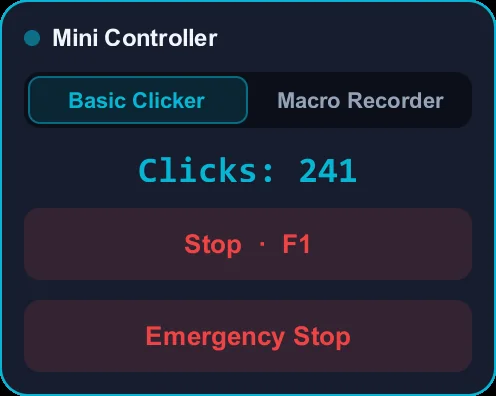
An emergency hotkey, a corner failsafe and a floating controller. Whatever is running, you can end it at once.
Auto-click, detect color, detect images.
- Auto click with the left, middle or right button
- Click intervals down to 1 ms
- A separate hotkey for every button
- Random variation so clicks are not perfectly even
- Click inside an area you choose
- Colour trigger: click only while a colour is on screen
- Image trigger: click when a picture appears
- Text trigger: click while a word is on screen
- Auto key press with its own interval and hotkey
- Record mouse and keyboard on one timeline
- A hotkey for each macro, or play them in sequence
- Timeline editor: delete steps, change waits, move clicks
- Build a macro from click points
- Window lock: pause when the window is in the background
- Game mode: never steals focus from your game
- Floating mini controller
- Emergency stop hotkey and corner failsafe
- Stop after a number of repeats, a duration, or at a set time
- Profiles: save, load, export and import your setup
- 11 languages
The facts in one table.
Everything you need to decide, without reading the whole page.
| Platform | Windows 10 / Windows 11 · x64 |
|---|---|
| Price | One-time purchase, no subscription. The Microsoft Store shows the price in your own currency. |
| Free trial | 7 days, full version, nothing locked |
| Click interval | From 1 ms upward, with optional randomization |
| Detection triggers | Color · Image · Text |
| Macro recorder | Mouse and keyboard on one timeline, with slots, sequences and a timeline editor |
| Interface languages | 11: English, Turkish, German, Spanish, Portuguese (Brazil), Russian, Chinese (Simplified), Japanese, Korean, Hindi, Arabic |
| Publisher | VAGames (vagames.net) |
| Where to get it | Microsoft Store |
Before you install.
Short answers to the questions people ask most.
Pro Auto Clicker is an auto clicker and macro recorder for Windows 10 and 11, made by VAGames and sold through the Microsoft Store. It clicks the left, middle or right mouse button at an interval you set, can wait for a color or an image to appear on screen before clicking, and records mouse and keyboard macros you can edit and replay.
For color, you sample a point on screen and set a tolerance; the clicker auto-clicks while a matching color is detected there and pauses when it is not. For images, you capture a region once and set a required match percentage; whenever that image is detected again the clicker moves onto it and clicks. Both run entirely on your own screen.
It is a paid app with a real free trial. The Microsoft Store gives you the full version free for 7 days, with nothing locked. After that a one-time purchase unlocks it for good, at the price the Store shows for your country. There is no subscription.
You set the gap between clicks in milliseconds, down to 1 ms, which is up to 1,000 clicks per second on paper. The speed you actually get depends on the program receiving the clicks. Optional randomization varies each gap by a percentage so the rhythm is not perfectly even.
Press the same hotkey that started it. There is also a global Emergency Stop hotkey, an Emergency Stop button on the floating mini controller, and a corner failsafe: push the mouse into any corner of the screen and all automation stops at once.
Yes. The macro recorder captures mouse movement, clicks and key presses on one timeline. You can keep several recordings in numbered slots, replay one slot or run them in sequence, give each slot its own hotkey, and use the timeline editor to delete a bad click or change a wait without recording again.
Yes. Window Lock ties the clicker or a macro to a window you choose. It runs only while that window is in front, pauses when you switch away, and shifts its click positions if the window is moved. It does not send clicks to background windows.
It sends input through the standard Windows input stack, so it works anywhere an ordinary mouse works. Whether a given game permits automation is that game's own rule, so read it before you automate anything.
Open the Pro Auto Clicker page on the Microsoft Store and choose Get or Install. There is no separate installer to download, and updates arrive through the Store automatically.
Your macros, typed text, sampled colors, captured images and window titles never leave your PC, and there is no account. The app can send anonymous diagnostics (app version, Windows version, language and crash details) to help us fix bugs. You can switch that off in Settings at any time.
Windows 10 and Windows 11 on x64. It ships as a signed Microsoft Store package and updates itself.
The app and this site are available in 11 languages: English, Turkish, German, Spanish, Brazilian Portuguese, Russian, Simplified Chinese, Japanese, Korean, Hindi and Arabic.
Install it and let it click.
Auto-clicking with color and image detection, signed package from the official Microsoft Store, one week free, automatic updates.